Before you spend weeks writing sequences, it's fair to ask: does cold email work for local businesses, or is it just more noise in an owner's crowded inbox? This guide gives you a straight answer and realistic expectations.
It also lays out a small, cheap test that tells you within a few weeks whether cold email works for your specific offer, so you're not guessing.
The short answer: does cold email work for local businesses?
Yes, under certain conditions. Cold email to local businesses works when most of these are true:
- It reaches the person who decides. That usually means the owner's own address, not a shared info@ inbox read by whoever is at the front desk.
- The offer is specific. "I can get you more reviews" beats "we help businesses grow online."
- The problem is visible from the outside. A 3.6-star rating, no website, a broken booking link or ads that point to a dead page are things you can mention without guessing.
- The business can afford you. Each new customer has to be worth enough that paying for your service makes sense.
- You follow up. Most replies to cold email come after the first message, not from it.
- You send in small, clean batches. Verified addresses, a warmed-up mailbox and modest daily volume.
When those conditions are missing, cold email to local owners mostly fails. That's why online opinions split so sharply: people are describing very different campaigns.
Why local owners read email differently from corporate buyers
A marketing director at a mid-size company has a budget, a process and time set aside to look at vendors. A local owner has none of those. Writing as if they do is the first mistake most people make.
Here's what's different:
- They are the buyer, the approver and the user. There's no committee to convince, which is good. But there's also no assistant to forward your email to the right person.
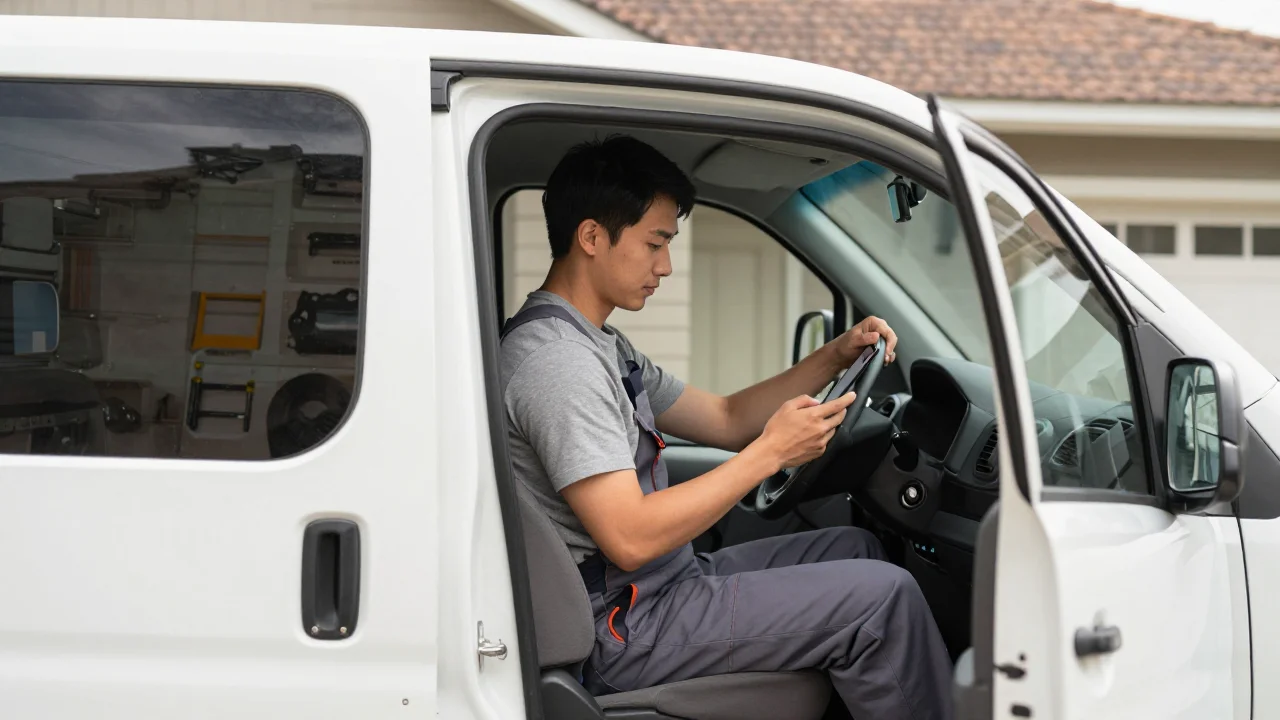
- They read on their phone, between jobs. A plumber checks email in the van. A salon owner checks it between clients. Long emails get skipped.
- They're already skeptical. Most owners get a steady stream of SEO spam and fake "your listing is suspended" scares. Anything that sounds like those gets deleted on sight.
- They think in this month's cash. Strategy talk doesn't land. More calls, more bookings and fewer no-shows do.
- Local detail earns attention. Mentioning their street, their town or a review a customer left last week shows you looked. Generic praise does the opposite.
- Replies are short. Expect "how much?" or "who is this?" rather than a polished response. That's a good sign, not a rude one.
The practical upshot: short plain-text emails, one clear observation, one offer, and one easy question. Our guide to writing cold emails local owners will read goes deeper on tone and structure.
What realistic open and reply numbers look like for local campaigns
We won't quote an industry average here. Published cold email benchmarks mix very different lists together and rarely explain how they were measured, so they're a poor guide for your campaign.
What you can rely on is how to read your own numbers.
Open rates are a rough signal at best
Open tracking uses an invisible image. Some email apps load it automatically, which counts opens that never happened, and others block it, which hides real ones. Treat open rate as a smoke alarm: a sudden collapse suggests a deliverability problem, but a high number doesn't prove anyone read your email.
Reply rate is the number that matters
Count replies, then split them into positive, neutral and negative. A campaign with plenty of replies that are all "remove me" is telling you something different from one with a handful of "sure, send it over."
Do the funnel math before you send
Work backwards from what a client is worth. Here's an illustrative example, not a forecast:
- You send to 200 verified owners.
- 6 reply, and 3 of those replies are positive.
- 2 agree to a call, and 1 becomes a client paying $500 a month.
If that client stays six months, 200 emails produced $3,000. Even a weaker result, say one client per 400 emails, can be very worth it when your costs are low. Run your own version of this math with your real price before deciding what "good" looks like.
Keep an eye on the health numbers
Two numbers protect your ability to keep sending. Bounces should stay very low, which is why you verify first. Spam complaints matter even more: Google's bulk sender guidelines ask senders to keep reported spam under 0.3%, and a cold campaign should sit well below that.
Local niches and offers that tend to get replies
Some local businesses are far more responsive to cold email than others. The pattern is simple: owner-run, high value per customer, and a problem you can see from outside.
Niches that usually make sense
- Home services: HVAC, plumbers, roofers, electricians, pest control, pool services. One job is worth a lot, and owners care about phone calls.
- Health and appointment-based practices: dentists, chiropractors, med spas, physical therapists. A new patient can be worth a lot over time.
- Professional services: personal injury lawyers, accountants, insurance agents, mortgage brokers. High customer value, though many already get pitched often.
- Auto: repair shops and detailers, where reviews and repeat visits drive revenue.
Offers that tend to work
- Review generation for businesses with a good rating but few reviews.
- A website or redesign for businesses with no site or a clearly outdated one.
- Missed-call text back or booking fixes for trades that rely on phones.
- Ad landing page fixes for businesses already running Facebook or Google ads.
- Google Business Profile cleanup: wrong categories, missing hours, no photos.
The best offers share three traits. The owner can picture the result, you can show proof quickly (a mockup, a short video, a before-and-after), and the first step is small. If you need ideas, browse our cold email templates for local businesses and adapt one to your niche.
Where cold email to local businesses usually fails
Most failed local campaigns break in one of these places:
- Sending to info@ inboxes. The person reading it often isn't allowed to buy anything and has no reason to forward a sales email.
- A generic agency pitch. "We offer SEO, social media and web design" gives the owner nothing to say yes to.
- Low-margin targets. A business that clears a small profit per sale can't justify a monthly retainer, no matter how good your email is.
- Bad timing. Landscapers in peak spring, tax preparers in April and restaurants during the dinner rush won't read your email properly. Pitch them in their slow season.
- Franchise locations. Marketing decisions are often made at head office, so the local manager can't say yes.
- Links, attachments and images in the first email. They hurt deliverability and look like the spam owners already get.
- No follow-up. Sending one email and giving up throws away most of your potential replies.
- Too much volume from a new domain. Hundreds of emails a day from a fresh mailbox is a fast way into the spam folder.
- Claims you can't back up. "Your site is losing you $10,000 a month" without evidence reads as a scare tactic.
Getting real owner emails instead of info@ inboxes
This step decides more of your result than your copy does. Here's a workflow that works for most local niches.
- Pull a list from Google Maps or Yelp. Search your niche plus city. You get business names, websites, phone numbers, ratings and review counts.
- Find the owner's name. Check the website's About or Team page, owner replies to reviews ("Thanks, Mike, owner"), the Facebook page and your state's business registry.
- Find or work out their email. Look on the site first. If you only have a name and domain, common patterns like firstname@domain are worth testing.
- Verify every address. Guessed and scraped emails bounce, and bounces damage your sender reputation.
- Decide what to do with role addresses. If info@ is all you can find for a small owner-run shop, it may still be read by the owner. For larger practices, skip it or call instead.
Doing this by hand works for 20 leads, but it gets slow at 200. GetClient handles steps 1 to 4 in one place: it collects leads from Google Maps, Yelp and other sources, then visits each website to pull emails, the owner's name, phone numbers and social profiles, and verifies addresses before you send. For more on who actually decides at a small business, see finding decision makers at small businesses, and read why you should verify your email list before sending.
A 200-email test to see if it works for your offer
The goal is not to win clients at scale yet. It's to find out, cheaply and quickly, whether your niche and offer get positive replies. Plan on about three to four weeks from setup to decision.

- Pick one niche and one region. For example, roofers across three neighboring cities. Mixing niches muddies the results.
- Write your offer in one sentence. "I set up review-request texts so roofers get more Google reviews after each job." If you can't say it in one sentence, the email won't be clear either.
- Build about 250 leads. Expect some to drop out for missing or invalid emails, leaving roughly 200 good ones. On GetClient that's about 250 credits for leads plus up to 250 for verification, which fits inside the $9 plan's 3,000 monthly credits with plenty left over.
- Set up sending properly. Use a secondary domain, set up SPF, DKIM and DMARC, and warm up the mailboxes for a couple of weeks before sending.
- Keep volume modest. Two mailboxes sending 20 to 30 new emails a day each gets through 200 leads in under a week while staying gentle on your domain.
- Write a three-step sequence. First email, a short follow-up 3 to 4 days later, and a final note about a week after that.
- Send on weekdays only, during business hours in their time zone.
- Log every reply in a simple sheet. Columns: business, reply date, positive/neutral/negative, and what they said.
Example first email
Subject: {{business_name}} reviews
Hi {{first_name}},
I was looking at roofers in {{city}} and noticed {{business_name}} has a strong rating but fewer reviews than the companies listed above you.
I set up automatic review-request texts for roofers, so happy customers get a link the day the job is finished.
Want me to send a 2-minute video showing how it would look for {{business_name}}?
[Your name]
[Business address and a one-line opt-out]
Example follow-ups
Follow-up 1: "Hi {{first_name}}, just checking this reached you. Happy to send the short video if reviews are on your list this year."
Follow-up 2: "Hi {{first_name}}, I'll stop here. If reviews become a priority later, reply anytime and I'll send the video."
For sending, GetClient lets you connect your own Gmail, Outlook or SMTP mailboxes and run unlimited campaigns and follow-ups with no sending fees, with all replies in one inbox. You can also export the list to CSV or push it to Instantly or GoHighLevel if you already use them.
How to read your test results and decide what to change
Before you send, write down what result would make you continue. For example: "At least 3 positive replies from 200 emails means I keep going." Then compare honestly.
Use this diagnosis guide:
- High bounces: your list is the problem. Verify better and drop risky addresses.
- Almost no replies of any kind: suspect deliverability first. Send test emails to a few personal accounts and check whether they land in spam. Then check your first line and subject.
- Replies, but mostly negative: the offer or niche is off. Try a different offer for the same niche, or the same offer for a niche with higher customer value.
- "How much?" and then silence: interest is there, but price shock kills it. Lead with a small first step or a starter package.
- Positive replies that don't book calls: your follow-up after the reply is too slow or too complicated. Reply within hours and offer two specific times.
- Positive replies and booked calls: it works. Keep the niche and offer, and expand to the next region.
Change one thing at a time between rounds. If you swap the niche, offer and subject line all at once, you won't know which change made the difference.
When to add calls or visits alongside email
Email alone isn't always the fastest route with local owners. Many trades answer their phones all day, and some shop owners respond better to a face than an inbox.
Add a call when:
- The business is phone-driven (plumbers, HVAC, roofers, auto repair).
- A lead clicked or replied with a question but went quiet.
- You only have a role address and suspect the owner never saw your email.
A call that references your email feels much warmer than a pure cold call: "Hi, I sent Mike a note on Tuesday about review texts for roofers. Is he around for one minute?" Our guide to cold calling local businesses covers scripts and gatekeepers.
Visits make sense when your prospects are within driving distance and have walk-in hours: restaurants, salons, retail and gyms. Bring the mockup or audit you offered by email. Keep it to two minutes and avoid peak hours.
The general rule: email gives you reach and a paper trail, calls give you speed, and visits give you trust. A small local campaign often uses all three on the warmest 10 to 20% of the list.
Next steps
- Pick one niche and one region you can describe in a sentence.
- Write a one-sentence offer tied to a problem you can see from outside.
- Build and verify about 250 leads, aiming for owner emails rather than info@ addresses.
- Warm up a secondary domain and run the three-step sequence over two weeks.
- Judge the result against the threshold you set before sending, then change one thing.
If you want to run the whole test in one place on a small budget, GetClient starts at $9 a month for 3,000 credits, and new accounts get 100 free credits to try a first search.